
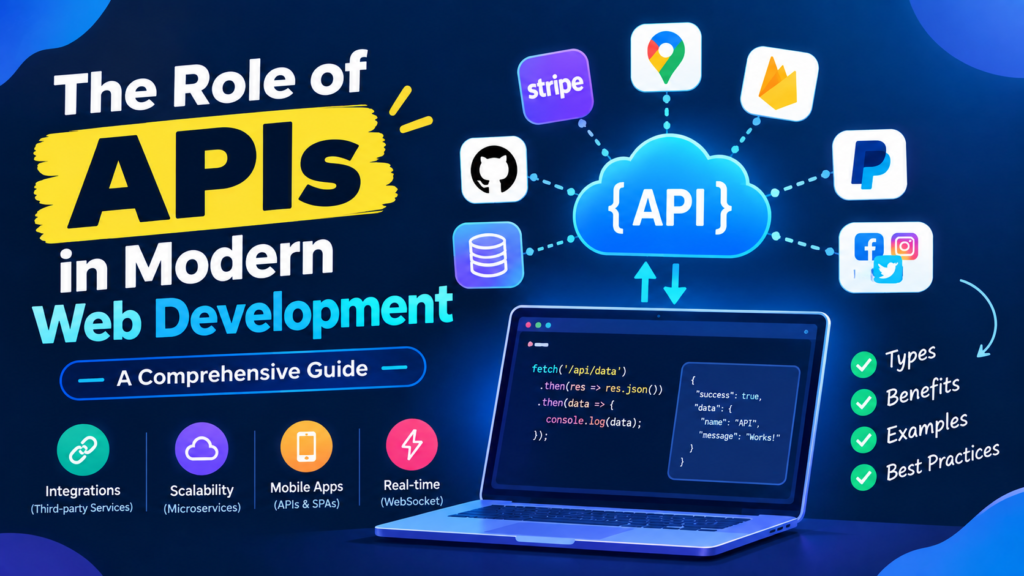
Table of Contents
You have already used a dozen APIs today and you did not notice a single one. The weather on your phone. Signing in with Google. The map inside a food delivery app. The payment screen that was not built by the shop you were buying from. None of those companies built those features. They asked someone else’s software for them.
That asking is what an API does. This guide explains what is really happening on the wire, shows you a live API playground you can click, and gives you working Node.js code both for using someone else’s API and for building your own.
What you will learn (12 minute read):
✓ What an API is, in one diagram instead of one paragraph
✓ The anatomy of a request: method, URL, headers, body, status
✓ A playground where you click an endpoint and see the real request and response
✓ Node.js code for calling an API properly, with errors, timeouts and retries
✓ How to build your own small API with Express
✓ Where to hide your API key, and why the browser is never the place
✓ Free APIs you can practise on tonight, with links
What an API Actually Is
The old restaurant line is still the best one: you do not walk into the kitchen. You tell the waiter what you want, the waiter talks to the kitchen, and food arrives. You never learn how the stove works, and the kitchen never has to trust you with a knife.
An API is that waiter, between two pieces of software:
Anatomy of a Request
Nearly every web API works the same way. You send four things and you get two things back. Learn these six pieces and you can use any API in the world.
| You send | What it means |
|---|---|
| Method | GET to read, POST to create, PUT/PATCH to update, DELETE to remove. |
| URL | The address of the thing you want, as broken down above. |
| Headers | Extra information: who you are (Authorization) and what format you are sending (Content-Type). |
| Body | The data itself, usually JSON. Only for POST, PUT and PATCH. |
| You get back | What it means |
|---|---|
| Status code | A three-digit verdict: did it work, and if not, whose fault was it? |
| Body | The answer, almost always JSON. |
Status codes, grouped so you can remember them
| Range | Meaning | The ones you will actually meet |
|---|---|---|
| 2xx | It worked | 200 OK · 201 Created · 204 No Content |
| 3xx | It moved | 301 Moved Permanently · 304 Not Modified |
| 4xx | Your mistake | 400 Bad Request · 401 Not logged in · 403 Not allowed · 404 Not found · 429 Too many requests |
| 5xx | Their mistake | 500 Server Error · 502 Bad Gateway · 503 Service Unavailable |
401 or 403? 401 means “I do not know who you are”, so your key or token is missing or wrong. 403 means “I know exactly who you are, and you are not allowed to do that”. That distinction saves hours of debugging.
The API Playground
Click an endpoint below. You will see the exact request that goes out and the response that comes back, including the failures. This is a simulation running in the page, so nothing is sent anywhere.
Calling an API from Node.js
Node has fetch built in from version 18 onward, so you do not need to install anything. Here is the simplest possible call:
// Open-Meteo needs no API key, so this runs as it is. const url = 'https://api.open-meteo.com/v1/forecast' + '?latitude=30.17&longitude=72.65¤t=temperature_2m'; const res = await fetch(url); const data = await res.json(); console.log(data.current.temperature_2m);
$ node weather.js
28.4
Example output. Those coordinates are Burewala; change them for your own city.
Now the version you would actually ship
The code above breaks the moment anything goes wrong. A real call checks the status, gives up if the server hangs, and says something useful when it fails.
export async function callApi(url, options = {}) {
  const { timeout = 8000, ...rest } = options;

  try {
    const res = await fetch(url, {
      ...rest,
      // give up instead of hanging forever
      signal: AbortSignal.timeout(timeout),
      headers: {
        'Accept': 'application/json',
        'Authorization': `Bearer ${process.env.API_KEY}`,
        ...rest.headers
      }
    });

    // IMPORTANT: fetch does NOT throw on 404 or 500
    if (!res.ok) {
      const body = await res.text();
      throw new Error(`API ${res.status} ${res.statusText}: ${body.slice(0, 200)}`);
    }

    return await res.json();

  } catch (err) {
    if (err.name === 'TimeoutError') {
      throw new Error('The API took too long to answer');
    }
    throw err;
  }
}
The mistake almost every beginner makes: fetch only rejects on a network failure. A 404 or a 500 is still a “successful” fetch as far as JavaScript is concerned. If you skip the res.ok check, you will happily parse an error page as if it were your data, and the bug will appear somewhere else entirely.
Retrying, politely
Servers have bad moments. A 429 means you are going too fast, and a 5xx often fixes itself a second later. Wait a little longer each time rather than hammering away.
const sleep = ms => new Promise(r => setTimeout(r, ms));

export async function fetchWithRetry(url, options = {}, tries = 3) {
  for (let attempt = 1; attempt <= tries; attempt++) {
    const res = await fetch(url, options);

    if (res.ok) return res.json();

    // Do not retry our own mistakes (400, 401, 404...)
    const worthRetrying = res.status === 429 || res.status >= 500;
    if (!worthRetrying || attempt === tries) {
      throw new Error(`Request failed with ${res.status}`);
    }

    // 1s, then 2s, then 4s
    await sleep(1000 * Math.pow(2, attempt - 1));
  }
}
Building Your Own API with Express
Using an API is half the job. Here is the other half: a small REST API with all four operations. Create a folder and run npm init -y and npm install express.
import express from 'express';

const app = express();
app.use(express.json());        // read JSON request bodies

// Pretend database
let products = [
  { id: 42, name: 'Blue Mug', price: 950 },
  { id: 43, name: 'Notebook', price: 420 }
];

// READ the whole list
app.get('/api/products', (req, res) => {
  res.json({ data: products });
});

// READ one item
app.get('/api/products/:id', (req, res) => {
  const item = products.find(p => p.id === Number(req.params.id));
  if (!item) return res.status(404).json({ error: 'Product not found' });
  res.json({ data: item });
});

// CREATE
app.post('/api/products', (req, res) => {
  const { name, price } = req.body;

  // Always validate. Never trust what arrives.
  if (!name || typeof price !== 'number') {
    return res.status(400).json({ error: 'name and numeric price are required' });
  }

  const item = { id: Date.now(), name, price };
  products.push(item);
  res.status(201).json({ data: item });   // 201 = Created
});

// UPDATE
app.patch('/api/products/:id', (req, res) => {
  const item = products.find(p => p.id === Number(req.params.id));
  if (!item) return res.status(404).json({ error: 'Product not found' });

  Object.assign(item, req.body);
  res.json({ data: item });
});

// DELETE
app.delete('/api/products/:id', (req, res) => {
  products = products.filter(p => p.id !== Number(req.params.id));
  res.status(204).end();            // 204 = done, nothing to say
});

app.listen(3000, () => console.log('API on http://localhost:3000'));
To use import instead of require, add "type": "module" to your package.json. Otherwise swap the first line for const express = require('express');.
Test it from a second terminal without writing any front-end at all:
# Read everything
curl http://localhost:3000/api/products

# Create something
curl -X POST http://localhost:3000/api/products \
  -H "Content-Type: application/json" \
  -d '{"name":"Desk Lamp","price":2300}'

# Delete it
curl -i -X DELETE http://localhost:3000/api/products/42
$ curl http://localhost:3000/api/products
{"data":[{"id":42,"name":"Blue Mug","price":950},
         {"id":43,"name":"Notebook","price":420}]}

$ curl -i -X DELETE http://localhost:3000/api/products/42
HTTP/1.1 204 No Content
Prefer clicking to typing? Postman and Hoppscotch let you build requests in a visual interface, save them and share them with your team. Hoppscotch runs free in the browser with no account.
Where to Keep Your API Key
This is the mistake that costs real money. If your key is in front-end JavaScript, it is public. Anyone can press F12, read it, and spend your quota. Minifying does not hide it.
// .env           (never commit this file)
// WEATHER_KEY=abcd1234

// .gitignore
// .env
// node_modules/

app.get('/api/weather', async (req, res) => {
  const city = String(req.query.city || '').slice(0, 60);
  if (!city) return res.status(400).json({ error: 'city is required' });

  try {
    const upstream = await fetch(
      `https://api.weather.example/v1?q=${encodeURIComponent(city)}`,
      { headers: { Authorization: `Bearer ${process.env.WEATHER_KEY}` } }
    );

    if (!upstream.ok) {
      return res.status(502).json({ error: 'Weather service unavailable' });
    }

    const data = await upstream.json();

    // Send only what the page needs, not the whole response
    res.json({ city, temp: data.current.temp_c });

  } catch {
    res.status(502).json({ error: 'Weather service unavailable' });
  }
});
If a key ever reaches a public repository, treat it as burnt. Deleting the commit is not enough, because the history keeps it and bots scan GitHub constantly. Go to the provider’s dashboard and revoke the key immediately, then issue a new one.
Keep It Fast: Cache and Rate-Limit
Every external call costs time and often money. If a hundred visitors ask for the same weather in a minute, call the API once.
const cache = new Map();

export async function cached(key, ttlMs, loader) {
  const hit = cache.get(key);
  if (hit && Date.now() < hit.expires) return hit.value;

  const value = await loader();
  cache.set(key, { value, expires: Date.now() + ttlMs });
  return value;
}

// Use it: one real call every 10 minutes per city
const weather = await cached(`weather:${city}`, 10 * 60 * 1000, () =>
  callApi(`https://api.weather.example/v1?q=${city}`)
);
And protect your own API from being hammered:
# npm install express-rate-limit

import rateLimit from 'express-rate-limit';

app.use('/api/', rateLimit({
  windowMs: 60 * 1000,   // one minute
  limit: 60,             // 60 requests per IP per minute
  message: { error: 'Too many requests, slow down' }
}));
REST, GraphQL or WebSockets?
| REST | GraphQL | WebSockets | |
|---|---|---|---|
| Shape | One URL per resource | One URL, you describe what you want | A connection that stays open |
| Best for | Most websites and apps | Complex screens pulling from many places | Chat, notifications, live dashboards |
| Main benefit | Simple, cacheable, understood by everyone | No over-fetching, one round trip | The server can push to you |
| Main cost | Several calls to build one screen | More setup, caching is harder | Harder to scale and to debug |
Start with REST. It covers the overwhelming majority of projects, and every hosting service, browser tool and tutorial supports it. Add GraphQL or WebSockets when you hit a problem REST genuinely cannot solve.
Free APIs to Build With
The fastest way to learn is to call something real. None of these cost anything, and the first four need no key at all.
A weekend project that teaches everything: build a small page that takes a city name, calls your own Node endpoint, which calls Open-Meteo, caches the result for ten minutes, and shows a loading state and a friendly error message. That one project covers fetch, error handling, caching, environment variables and server-side proxying.
What Goes Wrong in Production
The old warning about “the dark side of APIs” is fair, but vague. Here is what actually bites, and what to do about each one.
| Problem | What it looks like | What to do |
|---|---|---|
| Their service goes down | Your page hangs or shows an error, and users blame you | Set a timeout, serve cached data, and show a graceful message instead of a blank screen |
| Breaking changes | A field you rely on is renamed or removed one morning | Use a versioned endpoint (/v1/), subscribe to their changelog, and never assume a field exists |
| Rate limits | Sudden 429s under real traffic | Cache aggressively, batch requests, and back off exponentially when you are told to slow down |
| Surprise bills | A loop in your code makes thousands of paid calls | Set a spending alert in the provider’s dashboard on day one, and rate-limit your own server |
| Leaked keys | A key in front-end code or pushed to GitHub | Keep keys on the server in .env, rotate them regularly, and revoke immediately if exposed |
| Vague documentation | Examples that do not match the real responses | Call the endpoint once and log the raw response, then write your code against what actually arrives |
| Slow pages | Three API calls happening one after another | Run independent calls together with Promise.all() instead of awaiting each in turn |
// Slow: 300ms + 300ms + 300ms = 900ms
const user    = await callApi('/api/user');
const orders  = await callApi('/api/orders');
const offers  = await callApi('/api/offers');

// Fast: all three at the same time, about 300ms total
const [user2, orders2, offers2] = await Promise.all([
  callApi('/api/user'),
  callApi('/api/orders'),
  callApi('/api/offers')
]);
Common Questions
What is the difference between an API and a REST API?
“API” is the general idea of one program offering a way in. “REST API” is one popular style of web API, built on normal HTTP methods and URLs that represent resources. Most of what people mean by “an API” on the web today is a REST API returning JSON.
Do I need to know Node to use APIs?
No. You can call an API from browser JavaScript, from any backend language, or from the command line with curl. Node is simply a convenient place to put the calls that need a secret key, since the browser cannot keep secrets.
Why does my browser say “blocked by CORS policy”?
CORS is a browser rule: a page on one domain may not read responses from another domain unless that server allows it. It is not a bug in your code. Either the API has to send permitting headers, or you call it from your own server instead, which is the usual fix and is also where your key belongs.
What is the difference between an API key and OAuth?
An API key identifies your application, like a password for your account with that service. OAuth lets users grant your app limited access to their data without giving you their password. “Sign in with Google” is OAuth.
Should I use axios or fetch?
Either works. fetch is built into modern Node and every browser, so it needs no dependency. Axios adds conveniences like automatic JSON parsing, interceptors and throwing on error statuses. For a small project, fetch plus the helper above is plenty.
How do I version my own API?
Put the version in the path, like /api/v1/products, from the very first release. When you need to make a breaking change, publish /v2/ and keep /v1/ running for a while. Your users will thank you, and so will you.
Read next: Cookies and Sessions in Web Development explains how logins work when the client is a browser, which is the other half of this topic.
Final Thoughts
An API is just a promise: send this, get that back. Once you can read a status code, check res.ok, and keep your key on the server, every API in the world works the same way. The documentation changes; the shape does not.
Open a terminal tonight, write those four lines of Node against Open-Meteo, and print the temperature in your own city. That is your first integration, and everything after it is the same idea with more steps. Which API are you going to try first? Tell me in the comments. I read every one.
If this helped, share it with someone who is still copying API code without knowing what it does.