Table of Contents
You built a fast, clean, good-looking website. Three months later it has 11 visitors, and nine of them were you. The site is not broken. Google simply never understood what it was about.
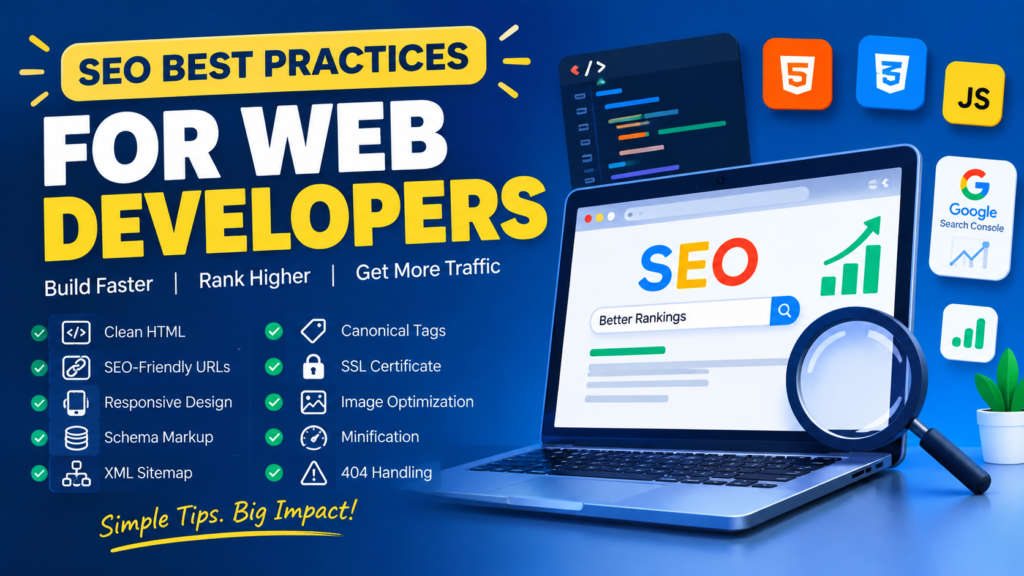
SEO is often handed to the marketing team, but a large part of it is purely a developer’s job: markup, URLs, speed, structured data, redirects. This guide covers exactly those parts, with code you can copy, free tools you can open right now, and a checklist you can tick off.
What is in this guide (12 minute read):
✓ How Google actually finds and ranks a page, as a diagram
✓ A tickable developer SEO checklist with a live score
✓ A Google result preview tool: type your title and description, see how it will look
✓ Copy-ready code for semantic HTML, structured data, sitemaps, canonicals and images
✓ The real Core Web Vitals numbers to hit
✓ Every tool named here, with a direct link, marked free or paid
Three Jobs, Not One
Before any technique, understand the pipeline. Google has to do three separate things with your page, and each one can fail on its own.
The first two stages are almost entirely the developer’s responsibility. That is the part of SEO you can fix with code this afternoon.
TICK AS YOU GOThe Developer SEO Checklist
Here is every item this guide covers. Tick the ones your site already does, and watch your score. Everything unticked is explained further down.
0 of 12 done
1. Write HTML That Explains Itself
A page built from nothing but <div> tells a machine nothing. Semantic tags label the parts of your page so both search engines and screen readers know what they are looking at.
<div class="top">
  <div class="menu">...</div>
</div>
<div class="content">
  <div class="big">Title</div>
  <div>Text...</div>
</div>
<div class="bottom">...</div>
<header>
  <nav>...</nav>
</header>
<main>
  <article>
    <h1>Title</h1>
    <p>Text...</p>
  </article>
</main>
<footer>...</footer>
Same page, same design. Only the right-hand version can be understood without guessing.
Headings are an outline, not a font size
Think of your headings as a tree. One H1 is the trunk, H2s are branches, H3s grow off those. Never pick a heading level because of how big it looks; that is what CSS is for.
2. Your Title and Description, Previewed Live
The title tag and meta description are what people actually read in search results. Type yours below and see how it will look, with warnings when they are too long to fit.
<head>
  <meta charset="UTF-8">
  <meta name="viewport" content="width=device-width, initial-scale=1.0">

  <!-- Keep under about 60 characters so it is not cut off -->
  <title>SEO Best Practices for Web Developers (2026 Guide)</title>

  <!-- Under about 155 characters. This is your advert. -->
  <meta name="description" content="Practical SEO for developers: semantic HTML,
        structured data, sitemaps and Core Web Vitals, with copy-ready code.">

  <!-- The one correct address for this page -->
  <link rel="canonical" href="https://example.com/blog/seo-for-developers">

  <!-- How it looks when shared on social media -->
  <meta property="og:title" content="SEO Best Practices for Web Developers">
  <meta property="og:description" content="Semantic HTML, schema, sitemaps and speed.">
  <meta property="og:image" content="https://example.com/images/seo-cover.jpg">
</head>
Google may rewrite your description. It often shows a snippet from your page instead, if that matches the search better. Write one anyway: it is the version shown most of the time, and it is what appears when people share your link.
3. URLs People Can Read
| Avoid | Use | Why |
|---|---|---|
/?p=2784 | /blog/seo-for-developers | Words in the URL describe the page before anyone clicks. |
/Products/Best_Widgets | /products/best-widgets | Lowercase, and hyphens rather than underscores. |
/page1/page2/page3/item | /shop/item | Shallow is easier to crawl and to share. |
| Changing URLs on a whim | Keep them, or 301 redirect | A changed URL with no redirect throws away everything that page earned. |
WordPress users: go to Settings → Permalinks and choose Post name. If you are changing an existing site, set up 301 redirects from the old URLs first with a plugin, or you will lose the traffic those pages already have.
4. Structured Data: Speak Google’s Language
Structured data is a small block of JSON that tells search engines exactly what your page contains: this is an article, written by this person, on this date. It is what produces star ratings, FAQ drop-downs and recipe cards in the results.
<script type="application/ld+json">
{
  "@context": "https://schema.org",
  "@type": "BlogPosting",
  "headline": "SEO Best Practices for Web Developers",
  "description": "Semantic HTML, structured data, sitemaps and Core Web Vitals.",
  "image": "https://example.com/images/seo-cover.jpg",
  "datePublished": "2026-10-17",
  "dateModified": "2026-10-17",
  "author": {
    "@type": "Person",
    "name": "Muhammad Azeem",
    "url": "https://example.com/about"
  },
  "publisher": {
    "@type": "Organization",
    "name": "Azeem Tech Studio"
  }
}
</script>
Add an FAQ block and your questions can appear directly in the results:
<script type="application/ld+json">
{
  "@context": "https://schema.org",
  "@type": "FAQPage",
  "mainEntity": [{
    "@type": "Question",
    "name": "How long does SEO take to work?",
    "acceptedAnswer": {
      "@type": "Answer",
      "text": "Usually three to six months for a new site."
    }
  }]
}
</script>
Here is the difference it makes in the results:
The second result takes up more space and gets more clicks, from the same ranking position (illustration).
Check your markup before you trust it: paste a URL into Google’s Rich Results Test (free). To find the right @type for your content, browse schema.org.
5. Speed: The Three Numbers That Count
Google measures real visitors’ experience with three metrics, the Core Web Vitals. These are the current targets, measured on mobile:
| Metric | What it measures | Good | Poor |
|---|---|---|---|
| LCP Largest Contentful Paint | How long until the main content appears | 2.5 s or less | over 4 s |
| INP Interaction to Next Paint | How quickly the page responds when tapped | 200 ms or less | over 500 ms |
| CLS Cumulative Layout Shift | How much the page jumps around while loading | 0.1 or less | over 0.25 |
Run your page through PageSpeed Insights (free) and you will see something like this:
🟢 LCP 1.9 s 🟢 INP 120 ms 🔴 CLS 0.28
Opportunity: images without width and height are causing layout shift
An illustration of a PageSpeed report. The red CLS here is the single most common developer mistake, and section 6 fixes it.
6. Images: The Biggest Easy Win
Images are usually the heaviest thing on a page and the most common cause of a bad score. Four attributes fix almost everything:
<!-- Modern format first, with a fallback for old browsers -->
<picture>
  <source srcset="/img/office.webp" type="image/webp">
  <img src="/img/office.jpg"
       alt="Developer reviewing a website audit on a laptop"
       width="1200" height="800"
       loading="lazy"
       decoding="async">
</picture>

<!-- The image at the top of the page is the exception: -->
<!-- never lazy-load it, it is usually your LCP element -->
<img src="/img/hero.webp" alt="..." width="1600" height="900" fetchpriority="high">
| Attribute | What it does for you |
|---|---|
alt | Describes the image for screen readers and search engines. Describe the picture, do not stuff keywords. |
width and height | Reserves the space before the image loads, which stops the page jumping. This is your CLS fix. |
loading="lazy" | Images below the fold load only when the reader scrolls to them. |
fetchpriority="high" | Tells the browser to load your main image first, which improves LCP. |
Compress before you upload. Squoosh and TinyPNG are free and run in your browser. A 500 KB photo usually drops to about 80 KB as WebP with no visible difference. On WordPress, a plugin can convert your whole media library at once.
7. Sitemap, robots.txt and Canonicals
robots.txt — who may crawl what
User-agent: *
Allow: /
Disallow: /wp-admin/
Disallow: /cart/
Disallow: /*?s=

Sitemap: https://example.com/sitemap.xml
The most expensive one-line mistake in SEO is leaving Disallow: / in robots.txt after launch. It blocks your entire site. Check yours at yoursite.com/robots.txt right now. In WordPress, also confirm that Settings → Reading → Discourage search engines is unticked.
sitemap.xml — the list of pages you want found
<?xml version="1.0" encoding="UTF-8"?>
<urlset xmlns="http://www.sitemaps.org/schemas/sitemap/0.9">
  <url>
    <loc>https://example.com/</loc>
    <lastmod>2026-10-17</lastmod>
  </url>
  <url>
    <loc>https://example.com/blog/seo-for-developers</loc>
    <lastmod>2026-10-17</lastmod>
  </url>
</urlset>
Keep <loc> and <lastmod>, and do not bother with <priority> or <changefreq>; Google ignores them. Submit the sitemap once in Google Search Console and again in Bing Webmaster Tools. In WordPress, an SEO plugin generates the sitemap for you.
Canonical tags — one page, one address
The same content often sits at several addresses: with and without www, with a tracking parameter, with a trailing slash. A canonical tag tells Google which one counts, so your ranking is not divided between them.
<link rel="canonical" href="https://example.com/products/best-widgets">

<!-- All of these should carry the canonical above: -->
<!-- example.com/products/best-widgets?ref=facebook -->
<!-- www.example.com/products/best-widgets           -->
<!-- example.com/products/best-widgets/              -->
8. HTTPS, Redirects and a Useful 404
<html lang="en">. If you publish in more than one language, use hreflang tags so each version is shown to the right audience.RewriteEngine On RewriteCond %{HTTPS} off RewriteRule ^(.*)$ https://%{HTTP_HOST}%{REQUEST_URI} [L,R=301]
9. Check Your Work in Search Console
Google Search Console is free, and it is the only place that shows you what Google actually thinks of your site. Verify your domain, submit your sitemap, then check it once a week.
🟢 Indexed 42
🟡 Crawled, currently not indexed 7
🔴 Excluded by ‘noindex’ tag 3 ← check these are meant to be hidden
An illustration of the Search Console overview. The three numbers worth watching are impressions, average position and indexed pages.
Quick test any time: search Google for site:yoursite.com. If your pages are not listed there, nothing else in this guide matters yet. Start with Search Console’s URL Inspection tool to find out why.
The Tools, With Links
Free, and genuinely essential
Free tier, paid for more
Paid, for when SEO is your job
WordPress plugins
Install one SEO plugin, not two. Yoast and Rank Math both write title tags, canonicals and schema. Running both produces duplicate tags and conflicting output. Pick one.
Mistakes That Quietly Cost You Traffic
| Mistake | Fix |
|---|---|
| Site launched with crawling still blocked | Check /robots.txt and the WordPress “Discourage search engines” setting on launch day. |
| Every page sharing one title | Give each page a unique title and description written for a human. |
| Images with no width or height | Add both. This is usually the whole of a bad CLS score. |
| URLs changed with no redirects | 301 every old URL to its new home before you publish the change. |
| Keyword stuffing in alt text and headings | Write for people. Describe the image, and let the heading say what the section is about. |
| Content only appearing after JavaScript runs | Make sure the important text is in the HTML. Use server rendering where your framework offers it. |
| Checking only on desktop | Google ranks using the mobile version of your page. Test mobile first, always. |
Common Questions
How long does SEO take to show results?
For a new site, usually three to six months before meaningful traffic arrives, and sometimes longer in competitive areas. Technical fixes like unblocking crawling or repairing broken redirects can show up within days. Anyone promising page one in a week is selling something.
Are meta keywords still a thing?
No. Google stopped using the meta keywords tag many years ago because it was abused. You can safely delete it. The tags that matter are title, description and canonical.
Do I need an SEO plugin if I hand-code my site?
No. A plugin just writes tags for you. If you control your own HTML, add the title, description, canonical and JSON-LD yourself, and generate a sitemap in your build step. That is all a plugin does.
Does page speed really affect ranking?
Yes, though less than content quality. Speed matters most as a tiebreaker between similar pages, and it has a large effect on whether visitors stay at all. A slow page loses people before it ever gets a chance to rank.
What about AI answers in search results?
Search engines increasingly summarise answers directly on the results page, which means fewer clicks for simple factual queries. The response is the same work as always: be the page that actually answers the question, use clear structure and structured data so your content can be understood, and build depth that a two-line summary cannot replace.
Should I buy backlinks?
No. Paid link schemes are against Google’s spam policies and can get a site penalised. Earn links by publishing things worth linking to, and by being active where your audience already is.
Read next: Mastering Web Performance goes deeper into the speed half of this guide.
Final Thoughts
SEO is not a dark art. For a developer it comes down to a short, practical list: write HTML that explains itself, give every page a real title and address, make it fast on a phone, tell search engines where your pages are, and never block the crawler by accident.
Do one thing right now. Open PageSpeed Insights, run your own site on mobile, and fix the first red item it shows you. Then come back and tick another box on the checklist above. Which item were you missing? Tell me in the comments. I read every one.
If this was useful, share it with a developer whose beautiful site nobody can find.