Table of Contents
Image optimization is essential for website performance and user experience
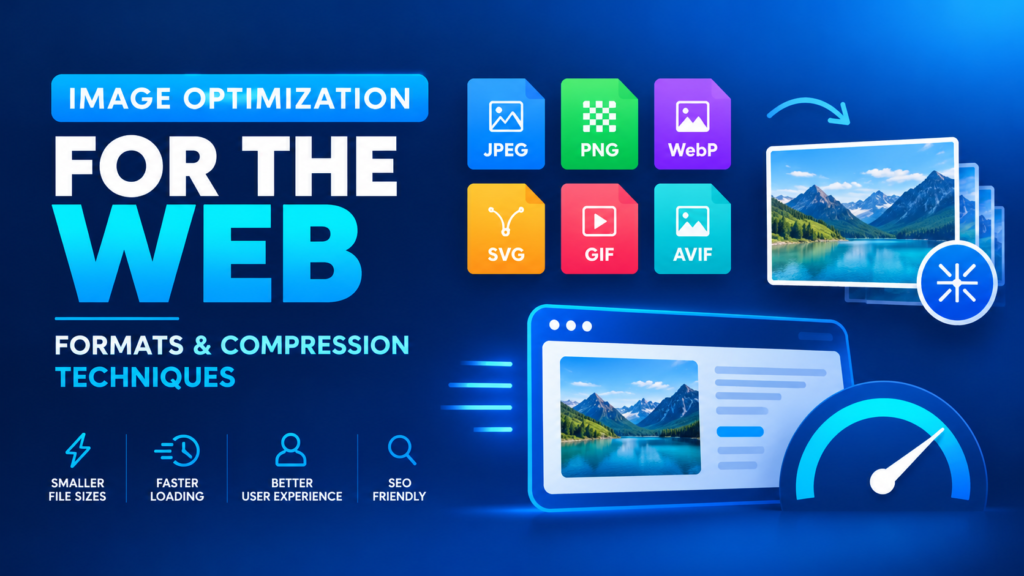
Large, uncompressed images slow down page loading, which hurts both the user experience and your search engine rankings. In this guide, you’ll learn which image formats to use, how compression differs from optimization, and the techniques that keep images small without making them look bad.
In this guide
1. Types of Image Formats
Each format has its own strengths. Picking the right one is the first step to a faster site.
JPEG
.jpgJoint Photographic Experts Group
- Best for photos and images with gradients
- Supports millions of colors
- Adjustable quality level
- Good when some quality loss is acceptable
PNG
.pngPortable Network Graphics
- Best for transparency or limited colors
- Preserves full image quality
- Great for logos, icons and sharp edges
- Supports alpha-channel transparency
GIF
.gifGraphics Interchange Format
- Simple graphics, icons and animations
- Limited to 256 colors
- Supports transparency and animation
WebP
.webpDeveloped by Google
- Usually smaller than JPEG and PNG
- Works for a wide range of images
- Supported by all modern browsers
SVG
.svgScalable Vector Graphics
- XML-based vector markup
- Scales without losing quality
- Supports interactivity and animation
- Not suited to complex photos
AVIF
.avifAV1 Image File Format
- High quality at very small file sizes
- Often compresses better than WebP
- Supported in most modern browsers
2. Image Compression vs Image Optimization
These two terms are closely related, but they’re not the same thing.
🗜️ Image Compression
What it is: Reducing an image’s file size by removing or more efficiently representing unnecessary data.
Goal: Use less data to describe the picture, so it downloads faster.
⚡ Image Optimization
What it is: A broader set of techniques to improve how images perform on a website.
Includes: Compression, resizing to the right dimensions, choosing the right format, lazy loading and responsive images.
Goal: Better performance, less bandwidth and a smoother user experience.
In short: Compression is one part of optimization. A well-optimized image isn’t just small, it’s also the right size, the right format and loaded at the right time.
3. Tips for Optimizing Page Speed with Images
1Compression Level
Adjust the compression of JPEG and WebP images to find the best balance between quality and file size.
2Responsive Images
Serve different image sizes based on the user’s device, so phones don’t download desktop-sized images.
3Lazy Loading
Load images only when they enter the user’s viewport, cutting initial page load time.
4Image Sprites
Combine several small images into a single sheet to reduce HTTP requests.
5Use a CDN
Serve images from servers closer to your users to reduce latency.
Example: lazy loading an image
<img src="photo.webp" alt="Description" loading="lazy" width="800" height="600">Example: responsive image with srcset
<img
  src="photo-800.webp"
  srcset="photo-400.webp 400w, photo-800.webp 800w, photo-1200.webp 1200w"
  sizes="(max-width: 600px) 100vw, 800px"
  alt="Description" loading="lazy">
Tip: Test your site with Google PageSpeed Insights or Lighthouse, and use different formats depending on what each image needs.
4. Fundamental Approaches to Image Compression
There are four main families of image compression, each with its own strengths:
5. Lossy Compression Techniques
Lossy compression shrinks files by permanently removing information that matters least to how we perceive the image or sound.
Irreversible data removal
Some data is discarded for good. Once removed, it can’t be perfectly restored.
JPEG
The most popular lossy image format, best for continuous-tone images. Higher compression means smaller files but visible quality loss.
✅ Great for photos
Ideal for photographs, nature scenes and rich color gradients, since our eyes don’t notice the lost fine detail.
❌ Not for text & graphics
Sharp edges, lettering and flat colors show visible artifacts. Use PNG or SVG instead.
Audio too
Lossy compression is also used in audio formats like MP3 and AAC.
Before using lossy compression, consider the type of content and how much quality loss is acceptable.
6. Lossless Compression Techniques
Lossless compression reduces file size while keeping every bit of the original image data. Nothing is lost, and the image can be restored exactly.
PNG
Widely used for its lossless compression. Ideal for transparency and limited color palettes without losing detail.
GIF
A common lossless choice for simple graphics, icons and animations.
ZIP Compression
Bundles many image files into one compressed archive without any quality loss.
Run-Length Encoding (RLE)
Stores repeated runs of identical pixels as a single value and count. It works best on images with large areas of the same color, and the original can be rebuilt exactly.
Use lossless techniques when keeping maximum quality matters and even small data loss isn’t acceptable.
7. Hybrid Compression Techniques
Hybrid approaches combine lossy and lossless methods, giving you flexibility to balance file size against image quality.
JPEG XR
An extended version of JPEG supporting both lossy and lossless compression, with variable bit depth for a wide range of colors and tones. Browser support is very limited today, so it’s rarely used on the web.
HEIF
The High Efficiency Image Format combines lossy and lossless compression and can store multiple images and thumbnails in one file. It’s common on phones, but browser support is limited.
The right choice depends on your images, the compression ratio you need and your specific use case.
8. Vector Graphics Formats
Vector formats describe images with mathematical shapes instead of pixels, so they scale to any size without losing quality. They’re perfect for logos, icons and drawings.
SVG
.svgA popular XML-based format that scales perfectly. Used for web logos, icons and graphics, with support for interaction and animation.
AI
.aiAdobe Illustrator’s native format. It keeps full vector data for further editing, making it a favorite in the graphic design industry.
Final Thoughts
Choosing the right format and compression method makes a real difference to your site’s speed. Use JPEG, WebP or AVIF for photos, PNG or SVG for graphics and logos, and combine compression with lazy loading, responsive images and a CDN for the fastest possible pages.