Table of Contents
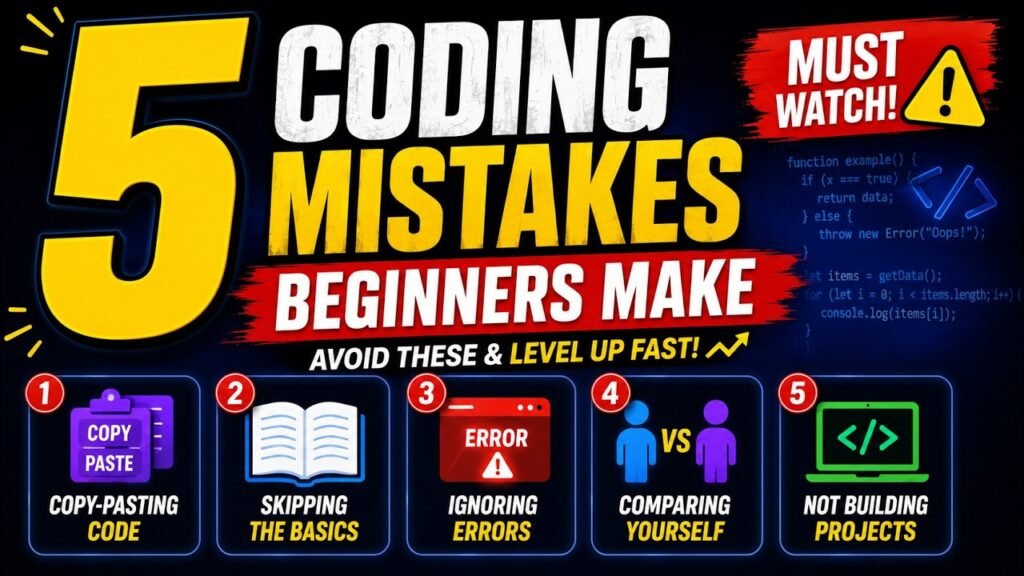
Nobody tells beginners the uncomfortable part: most of what makes learning to code feel impossible is not the difficulty of the material. It is five habits, all of which feel productive while you are doing them, and all of which quietly stop you from getting better.
I made every one of these. Here they are with the thing most articles leave out: a way to test whether you are doing it, and real code showing the fix.
How to read this: each mistake has a one-question self-test. Be honest on those five questions and you will know exactly where your time is leaking. There is a short quiz at the end that puts it together.
Copying code without understanding it
Copying is normal and professional; developers do it daily. The damage comes from stopping there. You paste something that works, the error goes away, and you have learned nothing. Next week the same problem appears in a slightly different shape and you are stuck again, because you never learned the idea, only the cure.
Try It on This Snippet
This is the kind of thing a beginner pastes from Stack Overflow and never reads. Click any line to see what it actually does.
A search box that waits until you stop typing before calling an API.
Notice what just happened. You now understand a pattern called debouncing, not a block of code. Next time you need a search box, a window-resize handler or an autosave, you will recognise the shape and be able to write it yourself. That is the whole difference between copying and learning.
Skipping the basics and jumping into big projects
“Build a social network” sounds far more exciting than “practise loops”, so beginners start the big thing, hit a wall made of fundamentals they skipped, and conclude they are not smart enough. The wall is not intelligence. It is variables, loops, functions and arrays, meeting you later instead of earlier.
The eight things to be comfortable with first
// 1. Store and change a value
let count = 0;
count = count + 1;

// 2. Make a decision
if (count > 3) { console.log('big'); } else { console.log('small'); }

// 3. Repeat something
for (let i = 0; i < 3; i++) { console.log(i); }

// 4. Wrap work in a function and return a value
function double(n) { return n * 2; }

// 5. Work with a list
const nums = [1, 2, 3, 4];
const evens = nums.filter(n => n % 2 === 0).map(double);  // [4, 8]

// 6. Work with an object
const user = { name: 'Hina', age: 24 };
console.log(user.name);

// 7. React to something happening
button.addEventListener('click', () => console.log('clicked'));

// 8. Wait for something slow
const res = await fetch('/api/users');
const data = await res.json();
That is the whole list. Eight ideas. Everything else, every framework, every library, is these eight arranged differently. If you can write all eight from memory, you are ready to build something real, and the “wall” people hit simply will not be there.
Panicking at error messages instead of reading them
Red text appears, the stomach drops, and the whole message goes straight into a search box. But an error message is the single most helpful thing your computer ever says: it tells you what went wrong, in which file, on which line. Most beginners search for the answer that is already on their screen.
TypeError: users.map is not a function
    at renderList (/app/src/list.js:14:19)
    at main (/app/src/index.js:7:3)

# 1. What went wrong: something called .map() on a thing that
#    is not an array.
# 2. Where: list.js, line 14.
# 3. Search this, not your variable name:
#    "map is not a function" javascript
Five errors you will meet in your first month
| The message | What it is really saying | Where to look |
|---|---|---|
Cannot read properties of undefined | The thing before the dot does not exist | What created that variable? Did a function forget to return? |
x is not a function | You called something that is not a function | A typo in the name, or the value is the wrong type |
Unexpected token | A syntax mistake, usually just above the line named | Missing bracket, brace, comma or quote |
x is not defined | The name does not exist here | Spelling, or declared inside a different scope |
CORS policy has blocked | The browser refused a cross-domain response | Not your code. The server must allow it, or call it from your own server |
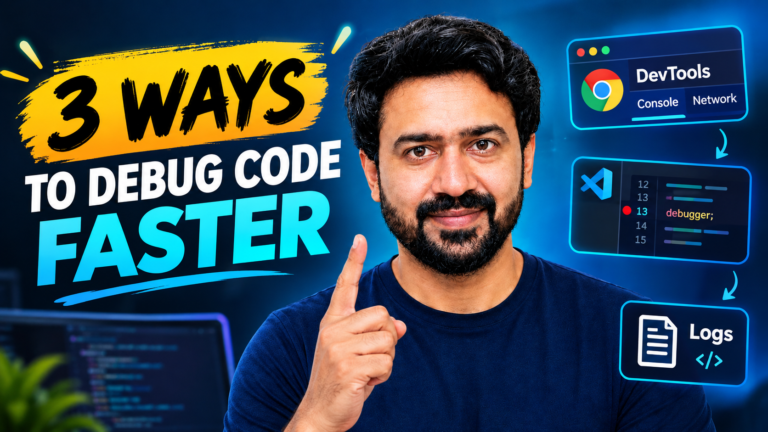
Going deeper: we have a whole guide on this, 3 Ways to Debug Code Faster. Reading errors calmly is the highest-return skill a beginner can build, because it turns every future problem from a wall into a clue.
Comparing your progress to other people’s
Someone posts a finished app built over a weekend, and you feel behind. What you cannot see is the four years before that weekend: the abandoned projects, the bugs that took three days, the same concept learned four times before it stuck. You are comparing your messy middle to somebody’s edited highlight reel.
## Week of 13 October
- Mon: built a form that validates email. Learned preventDefault().
- Tue: stuck 2 hours on "undefined". Cause: fetch returns a promise.
- Wed: rest day.
- Thu: added localStorage so the list survives a refresh.
- Fri: rewrote Monday's form in half the lines.

## Things that used to confuse me and no longer do
- Why fetch needs await
- The difference between == and ===
- What "undefined is not a function" actually means
That second section is the one that matters. On the days you feel like you are going nowhere, read it. Progress in programming is invisible from the inside, because every day you work at the edge of what you can do. The list is the proof your memory will not give you.
Watching tutorials instead of building
Watching someone code is enjoyable and feels like studying. It is not. Your brain registers “I understood that” and files it as “I could do that”, which are completely different abilities. It is like watching workout videos and expecting to get stronger.
Four projects, in order, and what each one teaches
| Project | What it forces you to learn | Roughly |
|---|---|---|
| 1. A personal page | HTML structure, CSS layout, getting something online at a real URL | A weekend |
| 2. A to-do list | Arrays, events, updating the page, saving to localStorage | A week |
| 3. A weather or quote app | fetch, JSON, loading states, handling errors when the API fails | A week |
| 4. Something only you want | Everything above, plus deciding what to build, which nobody can teach you | As long as it takes |
Number four is the one that gets you hired. Interviewers have seen a thousand tutorial to-do lists. A slightly odd project that solves a real problem in your own life produces a conversation instead of a glance, because you can explain every decision in it.
Which Mistake Is Costing You Most?
Answer honestly. Nobody sees this but you.
The Recap
| The mistake | The smallest thing that fixes it |
|---|---|
| 1. Copying without understanding | Spend 60 seconds reading it line by line, then change one thing on purpose. |
| 2. Skipping the basics | Two weeks on the eight fundamentals above. Then build. |
| 3. Panicking at errors | Read the first line, open the file and line it names, then search the generic part. |
| 4. Comparing yourself to others | Keep a two-line daily log. Compare to last month, not to strangers. |
| 5. Watching instead of building | Rebuild every tutorial from memory with the video closed. |
Common Questions
Is it really okay to use Stack Overflow and AI for everything?
Using them is normal; professionals do it all day. The question is what you do with the answer. If you read it, understand why it works and could rewrite it tomorrow, you are learning. If you paste it and move on, you are borrowing a solution you will have to borrow again every time.
How long should I spend on fundamentals before building?
Around two weeks of regular practice, not months. The goal is comfort with the eight things listed above, not mastery. You will keep learning fundamentals forever; you just need enough to stop being blocked by them on day one.
What if I finish a project and it is ugly?
Ship it anyway. Finished and plain beats ambitious and abandoned, every time. You can make the second one prettier, and you will have learned more from one finished ugly project than from three beautiful half-built ones.
How do I stop feeling behind?
Reduce the input and increase the output. Unfollow accounts that leave you discouraged rather than inspired, keep the progress log described above, and remember that nobody posts the three days they lost to a typo.
I keep forgetting syntax. Is that a bad sign?
No, it is universal. Everyone looks up syntax, including people with ten years of experience. What you should be retaining is the thinking: how to break a problem into steps, how to read an error, where to look when something breaks. Those are the parts practice actually builds.
The Full Video
Here is the same five on video, if you prefer to listen:
New tutorials for beginner developers every week.
Read next: 10 Things I Wish Someone Had Told Me Before I Started Coding, and 3 Ways to Debug Code Faster for mistake number three.
Final Thoughts
Every one of these five feels productive while you are doing it. That is exactly why they are hard to notice: watching a tutorial feels like studying, pasting a fix feels like solving, and scrolling other people’s projects feels like research. Feeling stuck is almost never a verdict on your intelligence. It is usually one of these five habits, and all five are fixable this week.
Pick the one the quiz gave you and change only that. Then tell me in the comments which number hit hardest. I read every one.
If this was useful, share it with someone who thinks they are too slow at learning to code.